

Today, running an eCommerce business is no longer as simple as selling through one point of sale (POS) system.
Many businesses now take orders from their own online store, Shopee, Lazada, TikTok Shop, WhatsApp, Instagram, retail counters, and weekend pop-up booths. While this gives customers more ways to buy, it also creates more moving parts for business owners to manage.
Orders need to be tracked. Stock levels need to be updated. Payments need to be checked. Refunds, exchanges, delivery issues, and customer enquiries need to be handled quickly.
This is where an online POS system becomes useful.
It helps eCommerce businesses in streamlining their operations by utilising a management system that can improve customer loyalty and experience through its management tools. Specifically, by centralising sales, payments, inventory, customer records, and reporting across different sales channels.
However, an online POS system is not a complete replacement for people.
It can organise transactions and data, but many customer-facing and operational issues still require human judgement. For growing eCommerce businesses, the strongest setup is often a combination of reliable software and trained support teams.
For many, outsourcing eCommerce support teams can be a good strategy to supplement their retail management tools. This is where Outpost can help you.
So, if you’re exploring what POS systems are and how you can integrate it to your business model, then this article is for you!
What Is an Online Point of Sale System?

An online POS system, or online point-of-sale system, is a cloud-based system that helps businesses process sales, record transactions, manage inventory, track customer orders, and view sales data.
A traditional POS system is usually associated with a physical retail counter. For example, when a customer pays at a cashier, the POS records the sale and prints a receipt.
An online POS system does more than that; it can also facilitate a loyalty program to encourage repeat customers.
How? It connects sales activity across online and offline channels, allowing businesses to centralise order and inventory management from one system and payment processor.
For eCommerce businesses, a retail POS system can help centralise:
- Sales records
- Customer order management
- Payment information
- Product and inventory updates
- Refunds and exchanges
- Customer profiles
- Online and offline transactions
- Sales and stock reports
For example, a Singapore eCommerce business may sell through its Shopify website, Shopee, Lazada, and weekend pop-up booths.
Without a connected system, the team may struggle to know how much stock is actually available. An online POS system helps create a clearer view of sales and inventory across these touchpoints.
In simple terms, it acts as the operational bridge between where customers buy and how the business fulfils those orders.
How Does an Online POS System Work for Retail Management of eCommerce Businesses?
An online POS system works by connecting sales, payment, inventory, and customer data into one system.
A typical eCommerce workflow may look like this:
- A customer places an order through an online store, marketplace, physical outlet, or pop-up booth.
- The online POS system records the transaction.
- Payment details are captured or linked through the integrated payment provider.
- Inventory is updated automatically.
- The order is passed to fulfilment, delivery, or customer service.
- Sales and inventory reports are generated for the business owner.
This is especially useful for eCommerce businesses that sell across multiple channels, and thus needs an advanced inventory management software.
If a customer buys the last available item at a pop-up booth, the system should ideally update the stock count so another customer does not buy the same item online.
The main benefit is operational visibility. Instead of checking different spreadsheets, marketplace dashboards, payment platforms, and inventory files, the business can work from a more centralised system, streamlining the process.
As a management software, an online POS system can also reduce manual admin work. It helps prevent overselling, improves inventory accuracy, makes refunds easier to trace, and gives business owners a clearer picture of which products and channels are performing well.
For Singapore eCommerce businesses, this can be useful during high-volume sales periods, such as 9.9, 11.11, 12.12, Chinese New Year, Hari Raya, Christmas, or Great Singapore Sale campaigns.
During these periods, order volumes can rise quickly. A connected POS system helps keep stock, payments, and order information more organised, facilitating advanced inventory tracking.
Some software also have a POS app or mobile POS sytems applications, which can make management tools more accessible, through the use of gadgets like a tablet.
However, the system is only as effective as the workflow built around it. If product data is outdated or customer enquiries are not handled, even the best system will not prevent operational problems.
Key Features of an Online POS System as an eCommerce Management Software
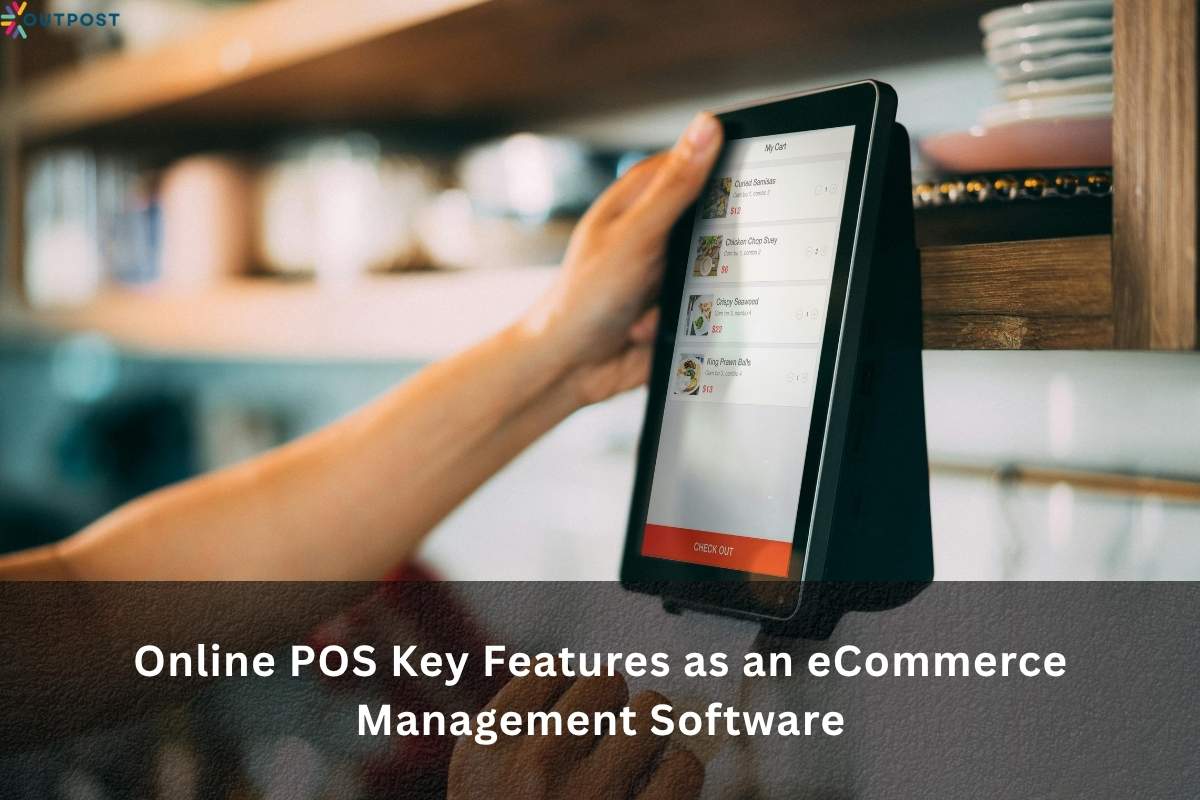
A good online POS system should support the way an eCommerce business actually sells, fulfills orders, and serves customers, including built-in loyalty features.
The exact features may differ by provider, but these are the most important ones to look for.
Inventory Synchronisation for In-Store and Online Platforms
Inventory synchronisation is one of the most important features.
It allows stock levels to update across online stores, marketplaces, physical counters, warehouses, and pop-up sales channels.
Streamlining operations helps reduce overselling and stock confusion for multi-store management.
For example, if a Singapore fashion brand sells the same dress on its website and at a physical showroom, inventory synchronisation helps ensure both channels reflect the same stock availability.
Simplify Payment Processing
A retail POS system should support the payment methods your customers prefer. This may include credit cards, debit cards, digital wallets, QR payments, and payment gateway integrations for a seamless point of sale experience.
In Singapore, businesses may also consider local payment preferences such as PayNow, PayLah!, GrabPay, and SGQR, depending on what their POS software or payment provider supports.
As such, your customers should have a seamless experience in processing payment acceptance.
Order and Refund Management
eCommerce businesses need to handle order changes, cancellations, refunds, exchanges, and failed payments.
A good online POS system should make it easier to trace the original transaction and process the next step.
This is particularly useful when customers buy online but request an exchange at a physical store or pop-up booth.
Customer Profiles
Some POS systems allow businesses to store customer purchase history, contact details, and preferences. This helps businesses provide better service and identify repeat customers.
For example, a skincare eCommerce brand may use customer history to recommend suitable products or respond more accurately when a customer asks about a previous purchase.
Reporting and Analytics
Reporting features help business owners understand what is selling, where sales are coming from, which products are running low, and which channels perform best.
This is useful for planning stock, campaigns, staffing, and customer support coverage, especially when using a loyalty program.
Integrations
A strong online POS system should connect with the tools the business already uses, such as card readers for seamless transactions.
This may include:
- Shopify
- WooCommerce
- Accounting software
- Fulfilment platforms
- Inventory tools
- Helpdesk software
- CRM systems.
Without the right integrations, teams may still end up copying information manually between different systems, which can hinder effective sales reporting.
Thus, it’s important to integrate an industry-specific POS system designed for your team and business needs. One that is ideal for retail and designed for retail and service businesses.
Limitations of an Online POS System
An online POS system can improve operations, but it does not solve every problem.
First, setup and integration may take time.
Businesses need to connect their eCommerce platform, payment gateway, inventory system, accounting tools, and fulfilment process properly.
If the setup is rushed, the system may create more confusion instead of reducing it, particularly in service businesses that rely on accurate sales reporting.
This is also beneficial for businesses with fast-moving processes, like restaurant POS systems.
Second, staff still need training.
A POS system can only work well if the people using it understand how to record orders, process refunds, update stock, and manage customer details correctly.
Your hardware and software POS and business management approach should be an all-in-one POS solution with the appropriate business management tools that your staff can maximise.
Third, data accuracy still matters in maintaining customer loyalty.
If product names, SKUs, stock counts, or pricing information are wrong, the system may simply process incorrect information faster. Automation does not automatically fix bad data.
This is why accuracy is a crucial part of human tasks in systems integration for eCommerce businesses.
Fourth, offline or disconnected workflows can still cause issues in your inventory management process.
For example, if a pop-up booth has poor internet connection, some POS features may be limited, especially in POS apps. If marketplace orders do not sync properly, the team may still need to check and reconcile records manually.
Most importantly, an online POS system cannot fully manage customer emotions or complex service situations.
It can show what happened in a transaction, but it cannot always decide what should happen next.
For example, if a customer receives the wrong item before an important event, the POS system can show the order record. But a person still needs to apologise, check stock, arrange a replacement, decide whether to offer a refund, and reassure the customer.
How Outsourced Teams Can Support the Online POS System of Small Businesses
Most eCommerce problems happen after the sale.
Customers may ask:
- Where is my order?
- Can I change my delivery address?
- Why was I charged twice?
- Why did my discount code not apply?
- Can I exchange this item?
- I received the wrong product. What should I do?
- Why does the website say the item is available when it is actually out of stock?
A cloud-based POS system can provide the data needed to answer these questions. It can show the order record, payment status, stock movement, and customer history. However, a human agent is still needed to interpret the issue and respond appropriately, even with advanced POS software.
This is where outsourced teams can support eCommerce businesses.
An outsourced customer support team can help manage WhatsApp, email, live chat, phone calls, and social media enquiries.
This is especially relevant in Singapore, where many customers expect fast replies through messaging platforms. If an eCommerce brand is slow to respond, customers may abandon their purchase, request a refund, or leave a poor review.
Outsourced teams can also support order-related work, such as delivery updates, refund requests, exchanges, product enquiries, and fulfilment coordination. During major sales campaigns, they can help manage overflow enquiries so the in-house team is not overwhelmed.
Beyond customer service, outsourced back-office teams can assist with product uploads, SKU updates, stock corrections, data entry, reconciliation between POS records, marketplace orders, and accounting reports.
This is important because an online POS system gives the business information, but someone still needs to act on that information. For example, if the POS flags a stock mismatch, a human agent may need to check warehouse records, update the product listing, and inform affected customers.
A strong outsourced team does not replace the POS system but complements it for better customer loyalty. It helps businesses get more value from it by handling the manual, customer-facing, and exception-based work around the system.
In other words, the software records the transaction, but people manage the experience.
How to Choose the Right Online POS System for Your eCommerce Business
The right online POS system, such as Loyverse POS and Square Point of Sale, depends on how your business sells and operates. Before choosing one, consider these questions:
Does it integrate with your eCommerce platform?
If your store runs on online ordering, like Shopify, WooCommerce, SHOPLINE, or another platform, the POS system should connect smoothly with it to supplement your daily operations.
Does it support your sales channels?
If you sell online, in-store, through pop-ups, or across marketplaces, the retail POS system should help you manage those channels without creating duplicate work.
Can it sync inventory across locations?
For effective inventory management, this is important if you have multiple stock points, such as a warehouse, retail outlet, office, or event booth.
Does it support your preferred payment methods?
Singapore businesses should consider whether the system supports relevant payment options, such as cards, QR payments, digital wallets, or PayNow-related workflows, especially when using retail POS systems, like Loyverse and Bindo POS.
Can the POS solution manage refunds and exchanges?
A good POS system should make it easy to trace transactions and handle post-sale requests.
Can the software and hardware features connect with accounting, fulfilment, or helpdesk tools to enhance your order management?
This is important for businesses that want to reduce manual admin work, especially when using a free plan for their POS system.
Is it suitable for Singapore business requirements?
Businesses should consider GST treatment, receipts, record-keeping, customer data protection, and access controls, especially when using a free POS software.
For example, GST-registered businesses selling physical goods locally in Singapore generally need to standard-rate their supply and charge GST, while exported goods may be zero-rated if proper export documents are kept.
Can your team use it easily for business management?
A powerful system is not useful if your staff, outsourced agents, or managers find it difficult to use the management system.
Does it allow role-based access for a retail business?
If outsourced agents are supporting customer service or back-office work, they should only access the information they need to perform their role within the multi-location framework.
The best online POS system is not always the one with the most features. It is the one that fits your sales channels, customer expectations, internal workflows, inventory management needs, and growth plans.
Final Thoughts: The Best eCommerce Operations Combine Retail Management Software and People
An online POS system is an important tool for modern eCommerce businesses. It helps connect sales, payments, inventory, customer records, refunds, and reporting across different channels.
For Singapore businesses selling through websites, marketplaces, social media, WhatsApp, pop-up booths, and retail spaces, this can make operations more organised and scalable.
However, software alone is not enough, especially a free POS system. Customers still need help with order updates, delivery delays, refunds, exchanges, payment issues, product questions, and complaints. These are moments where human support matters.
The strongest eCommerce operations combine both: a reliable online POS system to organise data, and trained human agents to act on that data quickly and professionally.
This is where Outpost Singapore can help you. By providing you a reliable team of professional agents, you can focus on critical tasks, while the team handles customer support and technical troubleshooting to supplement your online POS system.
If your team is struggling to keep up with customer enquiries, order updates, refunds, or back-office work, outsourcing your support team can help you get more value from your online POS system without adding more pressure to your in-house team.
About the Author: Tansi G